CSS Gradient Generator
Visually design professional CSS gradients. Features OKLCH interpolation, 360° angle dial, and 20+ premium presets.
Tech Specs & Security
What is the CSS Gradient Generator?
CSS Gradient Generator is a sophisticated design utility created to simplify the complexity of modern web backgrounds. Instead of manually coding convoluted 'background-image' properties, CSS Gradient Generator provides a tactile, visual interface where you can assemble gradients that look professional and vibrant. Whether you need a simple two-tone header or a complex multi-stop conic transition, CSS Gradient Generator gives you precise control over every color stop, angle, and opacity level. Best of all, CSS Gradient Generator processes everything inside your browser, ensuring your design experiments remain private and your workflow remains lightning-fast.
Industry-Standard Color Spaces
One of the most powerful features of CSS Gradient Generator is the specialized Color Interpolation selector. Standard CSS gradients often suffer from a 'gray dead zone' in the middle of transitions. CSS Gradient Generator solves this by offering OKLCH and HSL interpolation modes. By switching to OKLCH, CSS Gradient Generator ensures that colors transition through their most vibrant perceived paths, preventing 'muddy' midpoints and creating the smooth, high-end looks seen on premium tech landing pages.
Pro Presets & Visual Dial
CSS Gradient Generator is designed for speed. The tool includes a library of 24 hand-picked Pro Presets, ranging from soft 'Violet Dreams' to intense 'Lava' flows. For custom directions, CSS Gradient Generator features a 360° Angle Dial. Instead of typing degree values, you can simply rotate the dial's needle to find the perfect lighting angle visually. This tactile approach makes CSS Gradient Generator feel more like a professional design app than a simple code generator.
Accessibility & Asset Export
Good design must be accessible. CSS Gradient Generator includes a built-in Contrast Helper that automatically analyzes your gradient against the WCAG standard. It places sample text over your design and tells you instantly whether a 'White' or 'Dark' text layer will be readable for your users. Once your masterpiece is ready, CSS Gradient Generator allows you to export the result as a high-resolution PNG image, making it perfect for use in Figma layouts, PowerPoint presentations, or social media assets.
How to Use the CSS Gradient Generator
Gradient Methods Compared
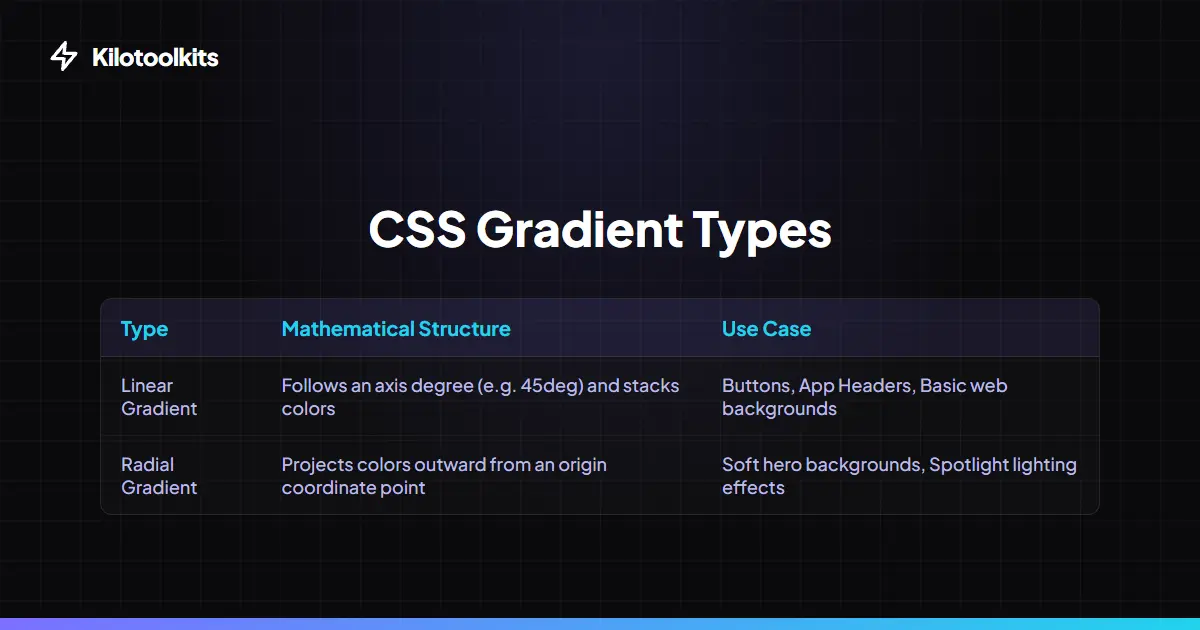
| Mode | Best For | Complexity | ||
|---|---|---|---|---|
| Linear | Buttons | Headers | Standard Page Backgrounds | Low |
| Radial | Spotlight effects | Soft Hero sections | Medium | |
| Conic | Pie charts | Color wheels | Abstract art | High |
| OKLCH | Vibrant | high-end tech aesthetics | Professional | |
| sRGB | Standard | predictable web transitions | Basic |
Design Precision & Compatibility
Designers often face issues with 'color banding' on low-end displays. CSS Gradient Generator recommends using 'perceptual' spaces like OKLCH to minimize this effect. Since CSS Gradient Generator uses modern CSS syntax, we also provide a fallback '-webkit-' prefixed string for wider legacy browser support. If your gradient appears solid, ensure you have at least two color stops defined on the bar. CSS Gradient Generator prevents browser crashes by validating all hex and rgba values during the live preview process.
Frequently Asked Questions
Tool Layout Gallery

Swipe to view more layouts