Text to Slug
Convert blog titles and article names into SEO-friendly URL slugs instantly. 100% private and browser-based.
Tech Specs & Security
What is the Text to Slug Generator?
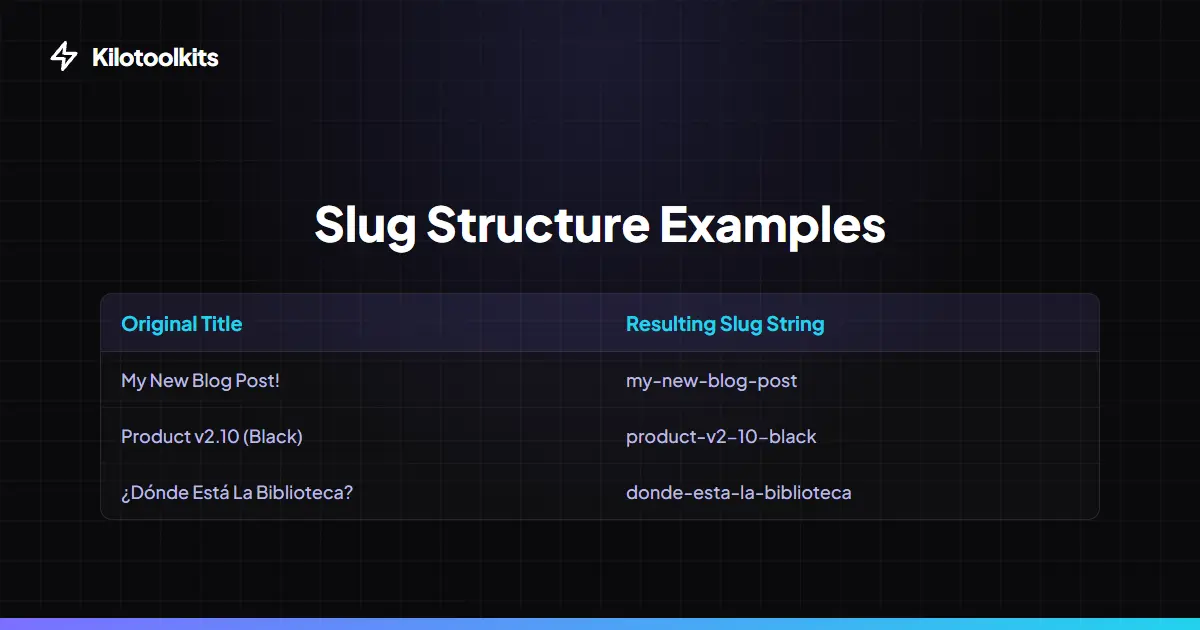
Text to Slug Generator is an essential utility for bloggers, developers, and SEO professionals. Text to Slug takes human-readable titles—like '10 Best Coffee Shops in London!'—and transforms titles into machine-friendly URL segments like 'best-coffee-shops-london'. URL slugs are critical because search engines use slugs to understand page content. By stripping special characters, handling accents, and removing filler words, Text to Slug ensures links are clean, professional, and optimized for search ranking.
Mastering SEO Slugs
A perfect URL slug should be descriptive yet concise. Google recommends using hyphens instead of underscores because search crawlers treat hyphens as spaces. Text to Slug defaults to hyphens to help content rank better. Users can also use the 'Remove Stop Words' feature to prune filler words like 'the', 'and', or 'is', which makes URL slugs shorter and more impactful for search engines.
Clean URLs, Better UX
Beyond SEO, clean slugs improve user experience. A URL like /p?id=123 is unhelpful to humans, whereas /tools/text-to-slug tells users exactly where they are. Text to Slug handles complex characters, converting French accents or German umlauts into standard Latin characters so URLs never break. Whether building an Express.js app, a WordPress blog, or a custom CMS, clean slugs are a non-negotiable requirement.
Batch Slug Processing
Need to generate dozens of links for a new site section? Text to Slug supports batch processing. Simply paste a list of titles—one per line—or upload a text file. Text to Slug processes every entry according to specific rules, like stripping numbers or forcing lowercase, and generates a matching list of slugs. Users can then download the entire list as a text file in one click.
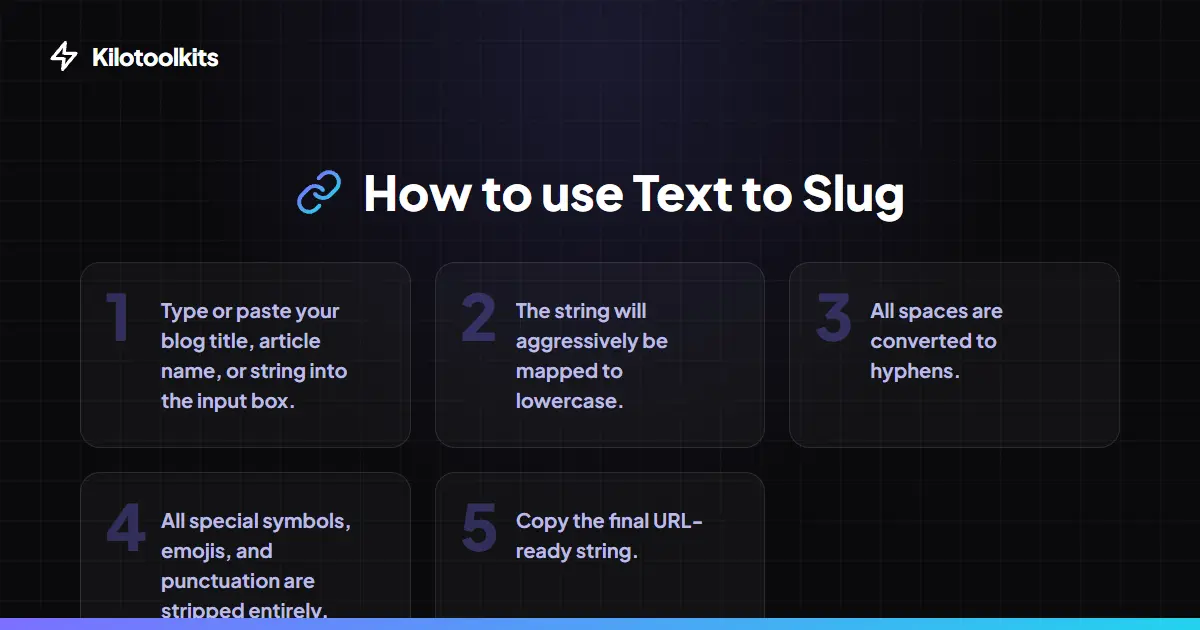
How to Use the Text to Slug Generator
Standard vs. SEO-Pro Slugs
| Feature | Standard Slugify | Kilotoolkit SEO-Pro |
|---|---|---|
| Spaces to Hyphens | Yes | Yes |
| Accent Removal | No | Yes (NFD Normalization) |
| Emoji Stripping | Partial | Yes (Full Cleanup) |
| Stop Word Filter | No | Yes (2026 SEO Rules) |
| Length Warning | No | Yes (Google Compliant) |
Troubleshooting Output
If the output box is empty, ensure input contains at least one alphanumeric character. Characters from non-Latin scripts, like Hanzi, Arabic, or Cyrillic, may be stripped if scripts cannot be normalized to Latin equivalents. If a slug is too short, check if 'Remove Stop Words' is clearing out too many words from a short title.
Frequently Asked Questions
Tool Layout Gallery

Swipe to view more layouts